
The IPTV player
for Samsung TVs.
Built from zero for Samsung smart TVs (Tizen). Install it from the TV's store, add your own list and watch. No account, no ads, no tracking.
Free forever · a week of Premium as a gift · then $9.9029.90 ₪, once
The difference, on screen.
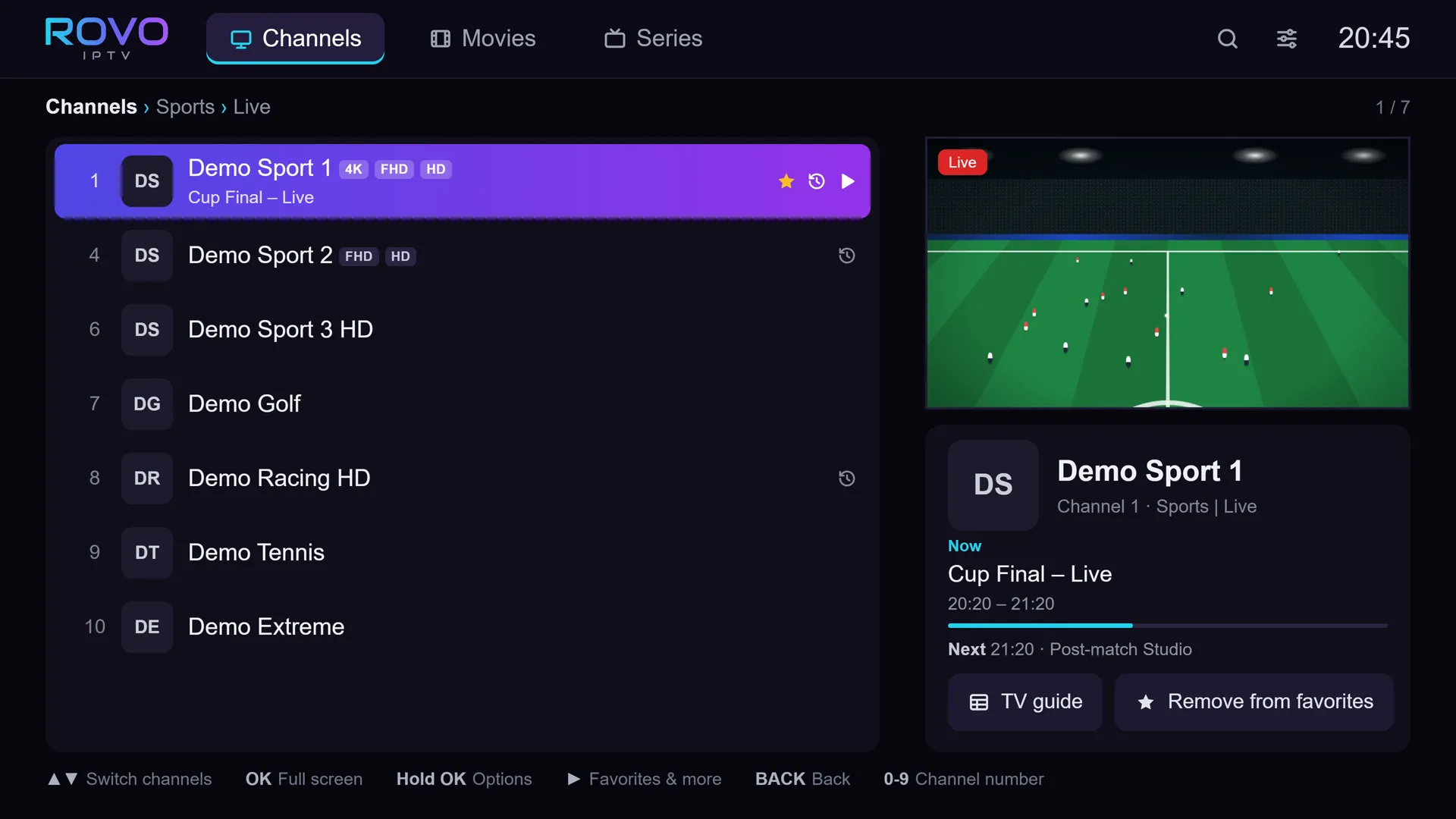
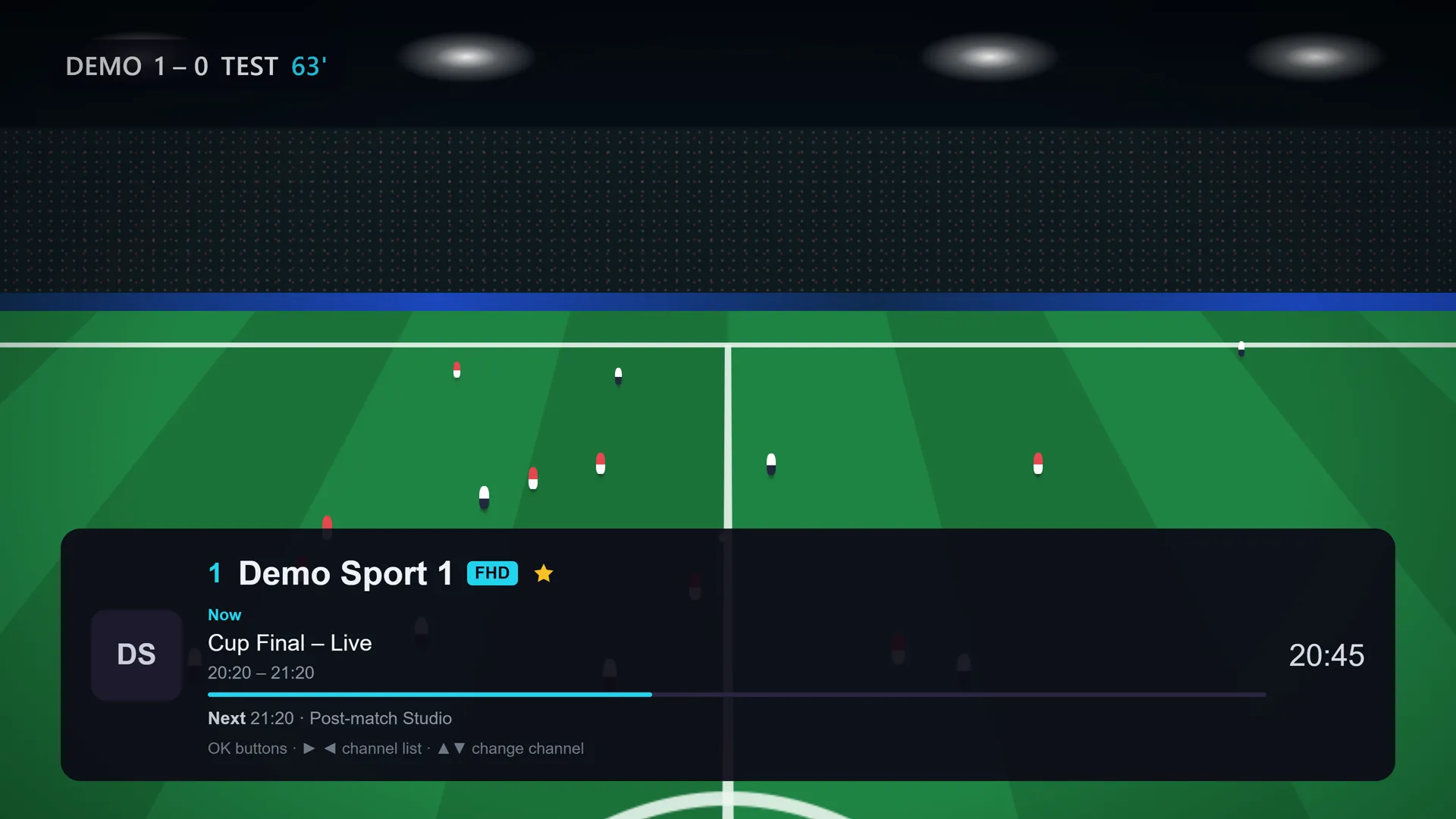
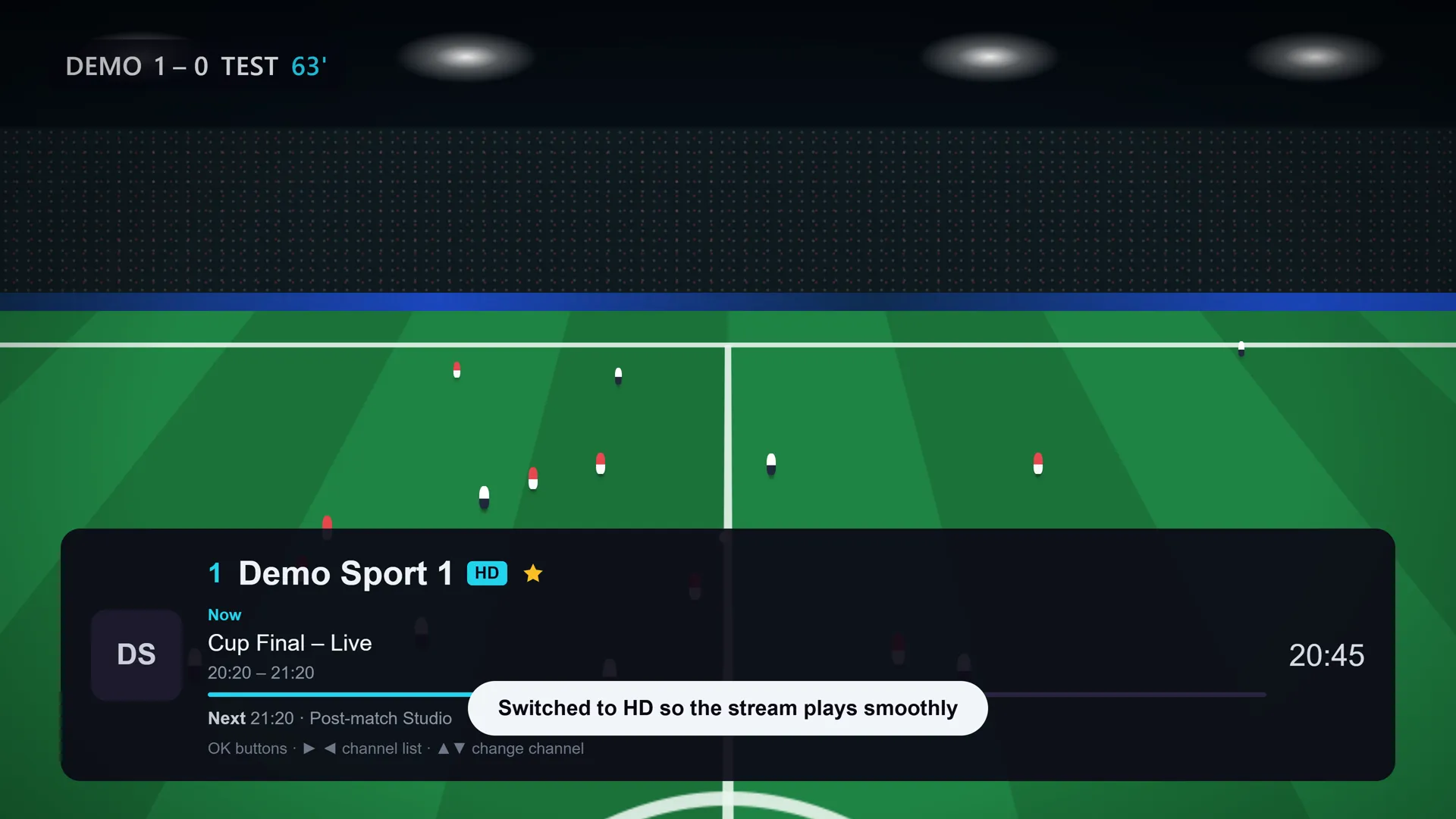
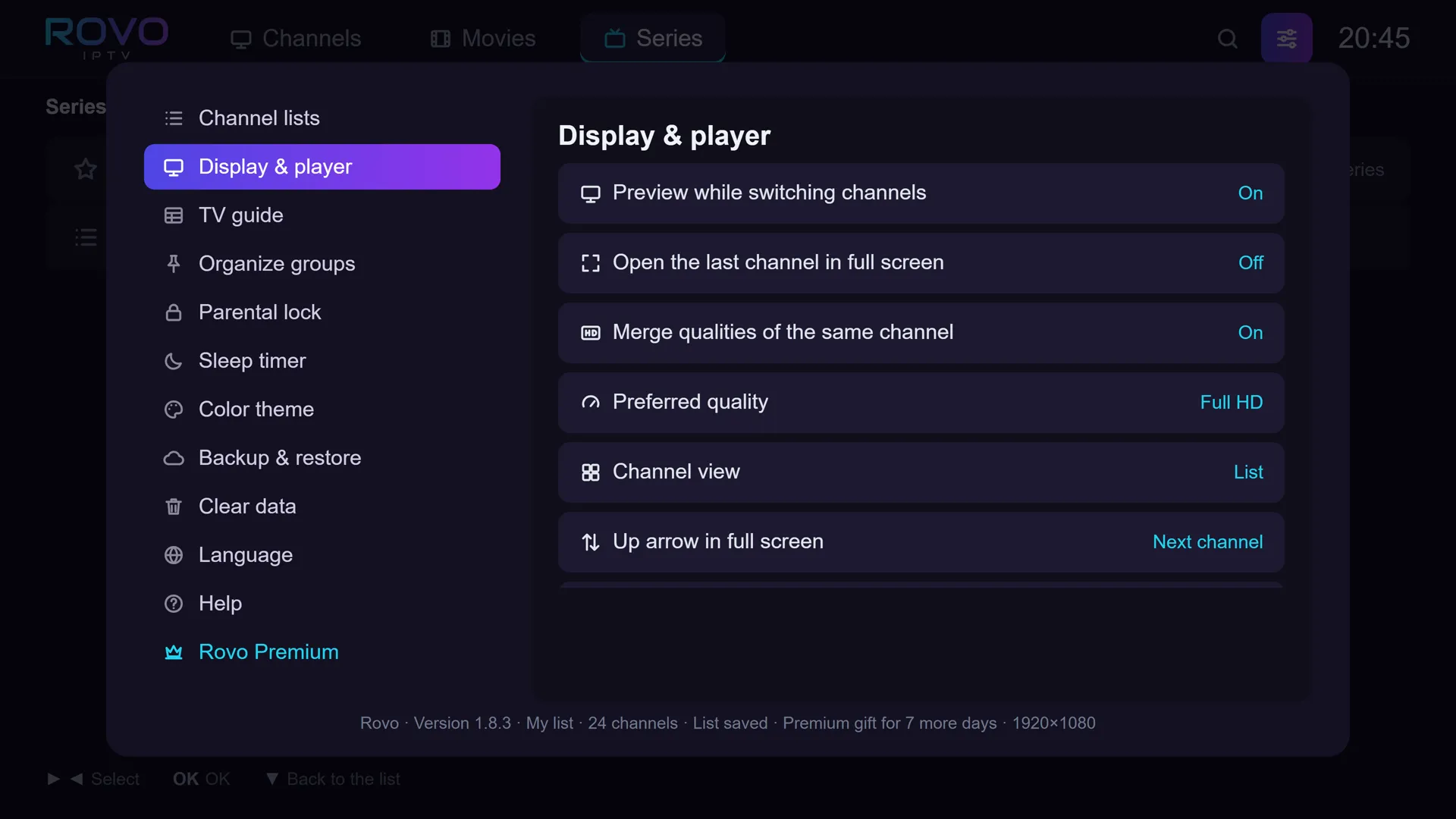
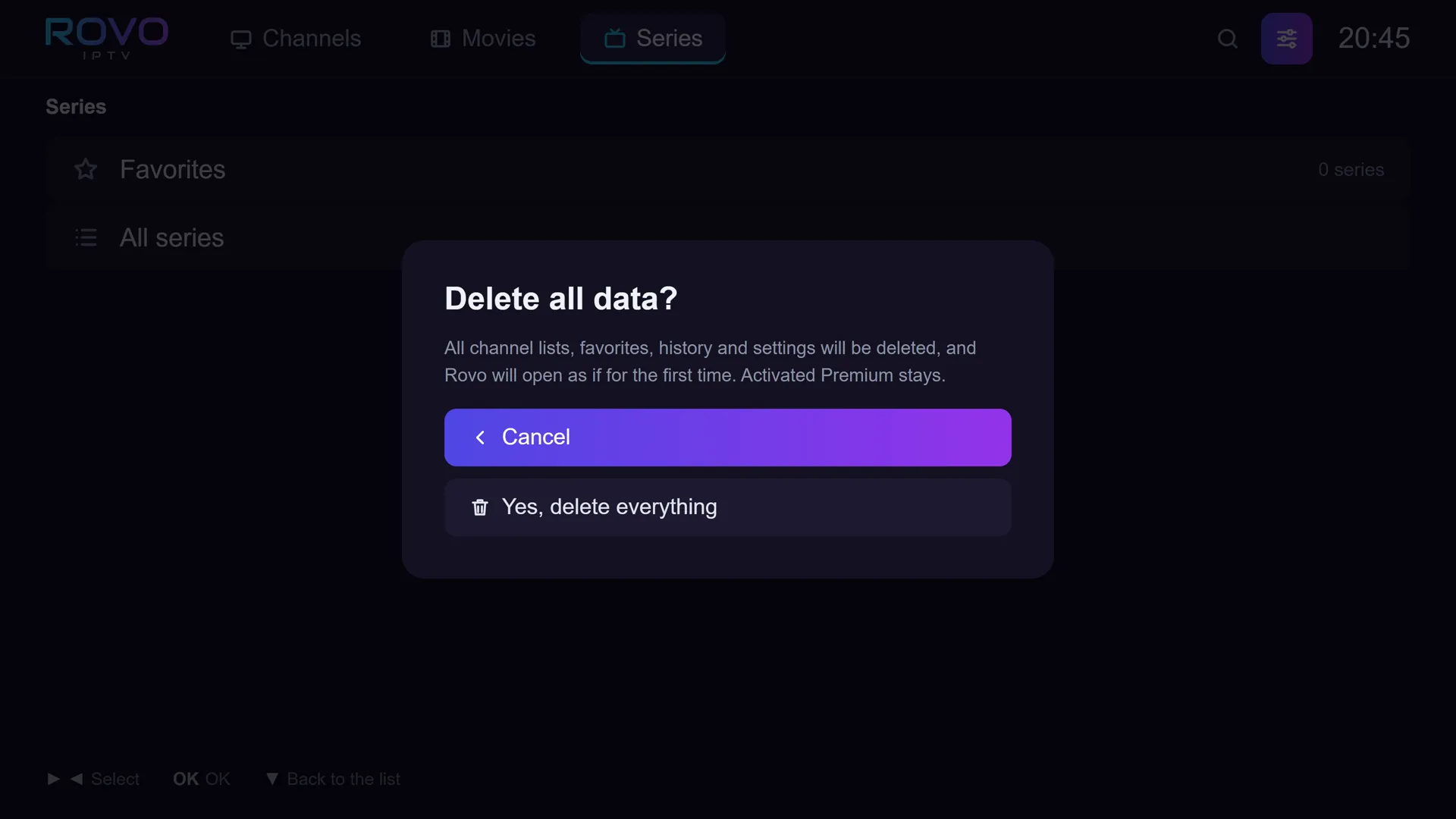
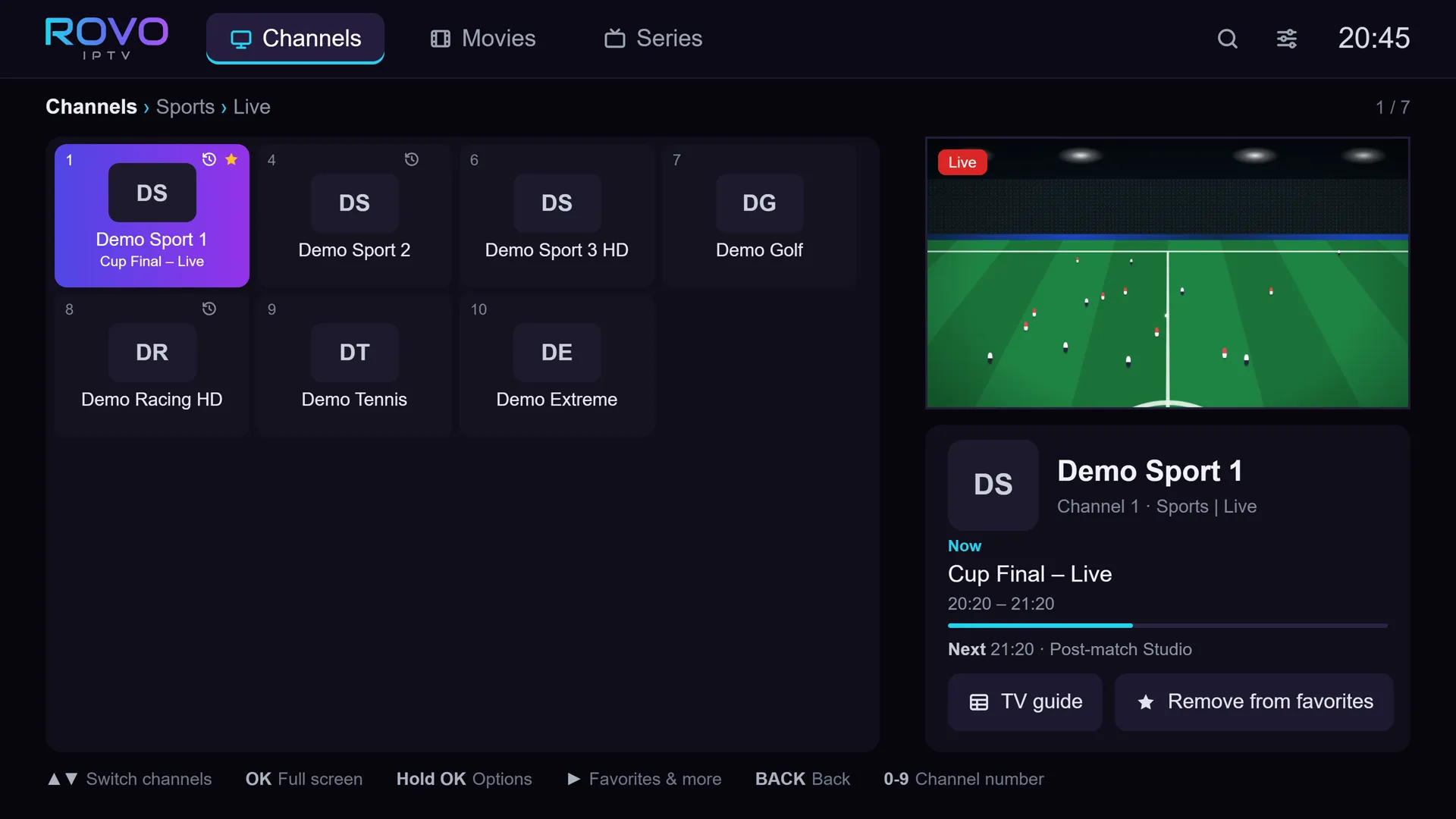
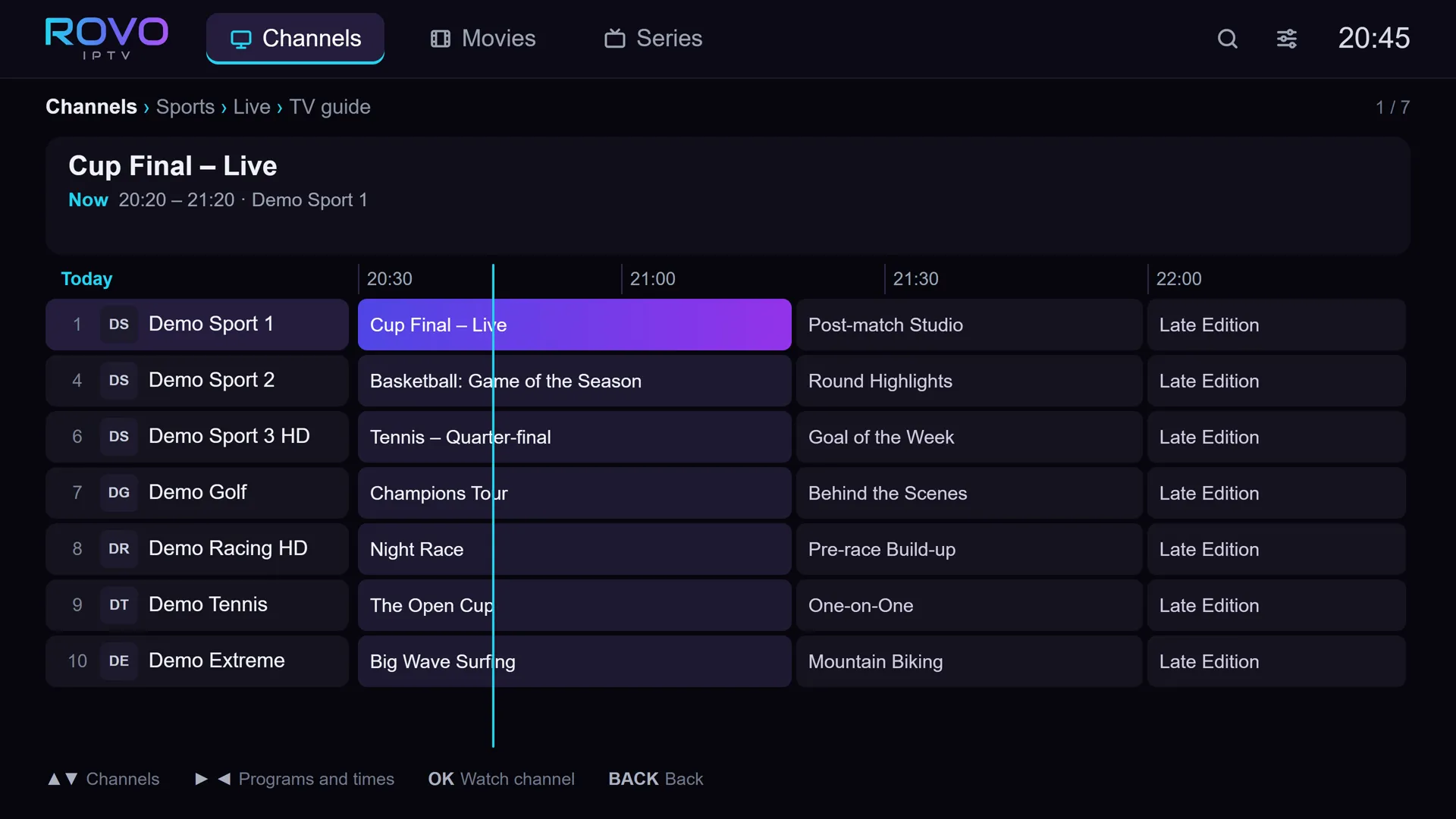
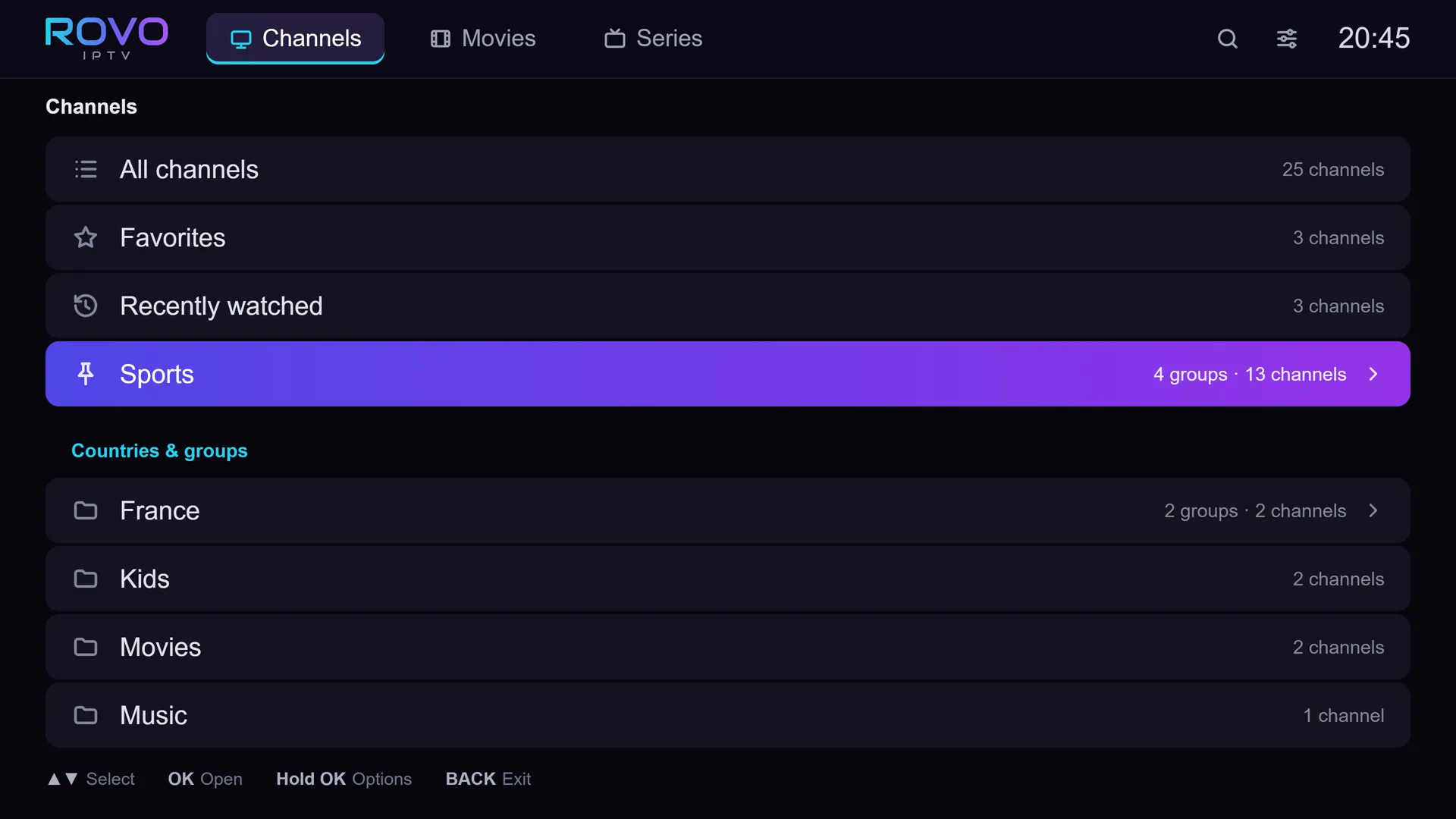
Demo channels. Rovo includes no channels: you add a list from a provider you chose.
A player only. These are demo channels: Rovo includes no channels or content.
- 01
Channels switch in one press.
Rovo uses the TV's own built-in player, so channels open fast and streams stay steady.
- 02
Tens of thousands of channels, no stutter.
The whole app weighs under 0.2 MB and stays smooth even when your list is huge.
- 03
Stalled? It keeps playing.
Every channel appears once. If a stream stalls, Rovo drops to a lower quality by itself and carries on.
- 04
No extra box, no extra remote.
Runs straight on Tizen, with the remote already in your hand. In 4 languages: עברית · English · Русский · العربية.
- 05
Nothing leaves your TV.
Lists, logins and settings stay on the TV and are never sent to us. One button deletes it all.
The stream stalls.
Rovo keeps playing.
When a channel stalls, Rovo does not wait for you. It drops to a lower quality by itself, shows a short message, and keeps playing. Nothing to hunt for, nothing to press.
After 2 stalls within 30 seconds, Rovo moves to the next quality and remembers what worked. And when the stream drops, it tries to reconnect twice by itself, before any message appears.
Demo channels. Rovo includes no channels.
The player is
already in the TV.
No streaming stick, no extra box next to the TV. Rovo was built from zero for Tizen, the operating system of Samsung TVs, so you install it straight from the TV's own store and start watching.
| Topic | Rovo on the TV | Android player via a streamer |
|---|---|---|
| Extra device | Not needed | Buy and plug in a streamer |
| Remote | The TV's own | One more on the table |
| Cables and power | None | An HDMI cable and a socket |
| Getting in | Straight from the home screen | Switch to the HDMI input |
| Who plays the video | The TV's built-in player | The extra device |
| What it costs | Free, or $9.9029.90 ₪ once | The device, plus the player |
0.2MB
The whole app.
Smaller than one phone photo.
Rovo weighs under 0.2 MB. That is why it opens fast and moves smoothly, even with tens of thousands of channels in your list: the screen only draws the 8 rows you can see.
Every channel,
once.
Many providers send each channel several times: in 4K, FHD and HD. Most players show that as three duplicate rows. In Rovo it is one row, and the quality is a choice inside it.
Three rows for the same channel.

One row. The quality is picked for you, and Premium also lets you choose it yourself.
Rovo,
by the numbers.
Every number here was checked in Rovo’s code or measured on a real TV.
0
Ads. Tracking. User accounts. Not even in the free version.
Under3seconds
To open Rovo, even with 30,000 channels in your list.
About1second
From picking a channel to watching it.
Measured on a 2024 Samsung TV over a wired connection. Depends on your provider and internet.
0.02seconds
Remote response. Every press is felt at once, even in a list of tens of thousands of channels.
1press
To change channel. No delay.
8rows
All the screen ever draws. Even in a list of tens of thousands of channels, so scrolling stays smooth.
2retries
Reconnecting by itself. When the stream drops, Rovo tries again before you see any message.
0waiting
For a server at launch. Your list is saved on the TV. Once 6 hours have passed, it refreshes itself in the background.
4languages
Hebrew, English, Arabic and Russian. Picked by itself from your TV’s language.
You bring the list.
We bring the player.
Rovo is a video player only. It does not come with channels, movies or content, does not sell or link to content providers, and has no relationship with any provider.
You add a list from a provider you chose yourself, in one of the two usual ways. You are responsible for the content you add. The app's opening screen says it too: a player only.
How it looks in Rovo:
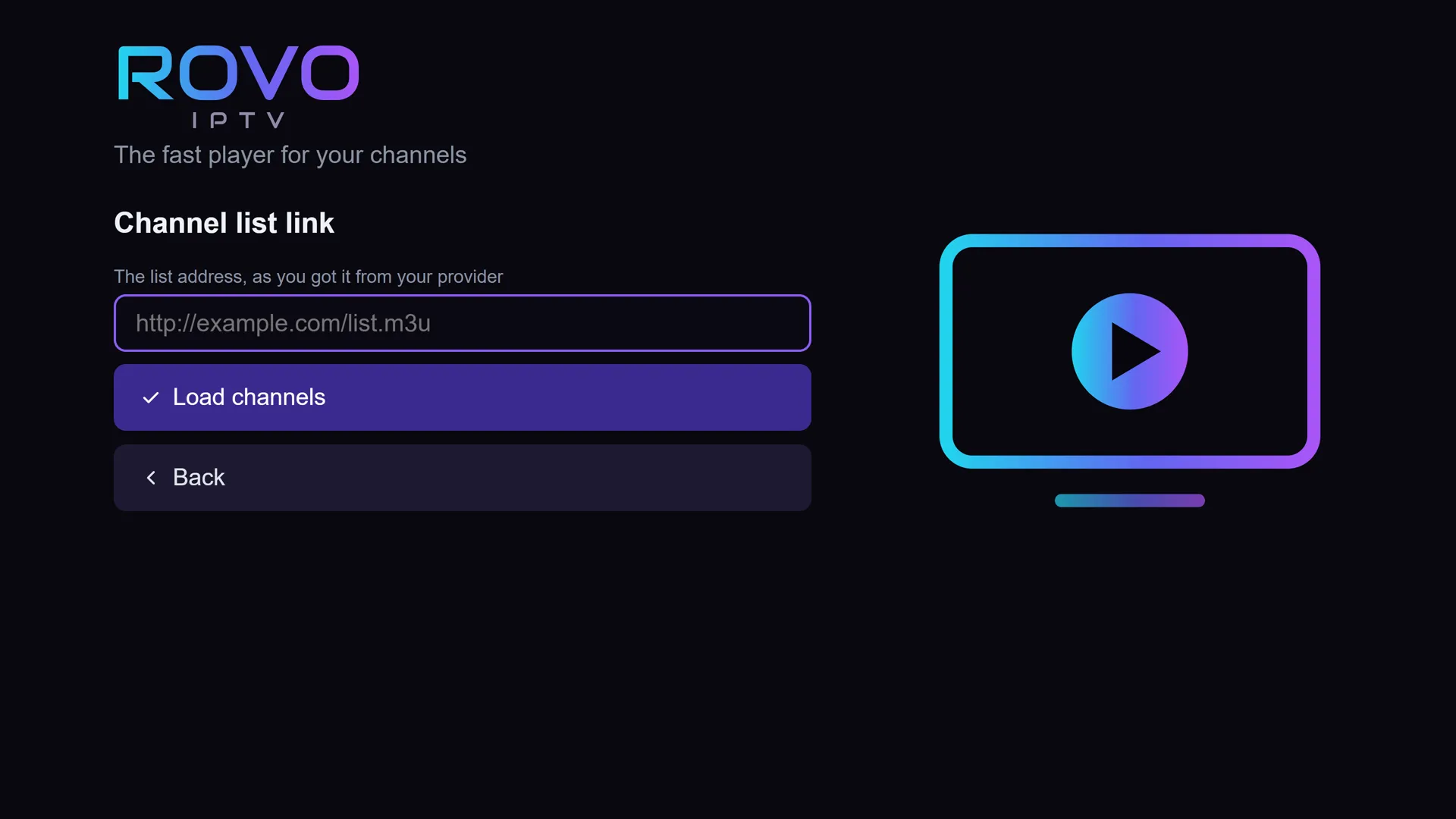
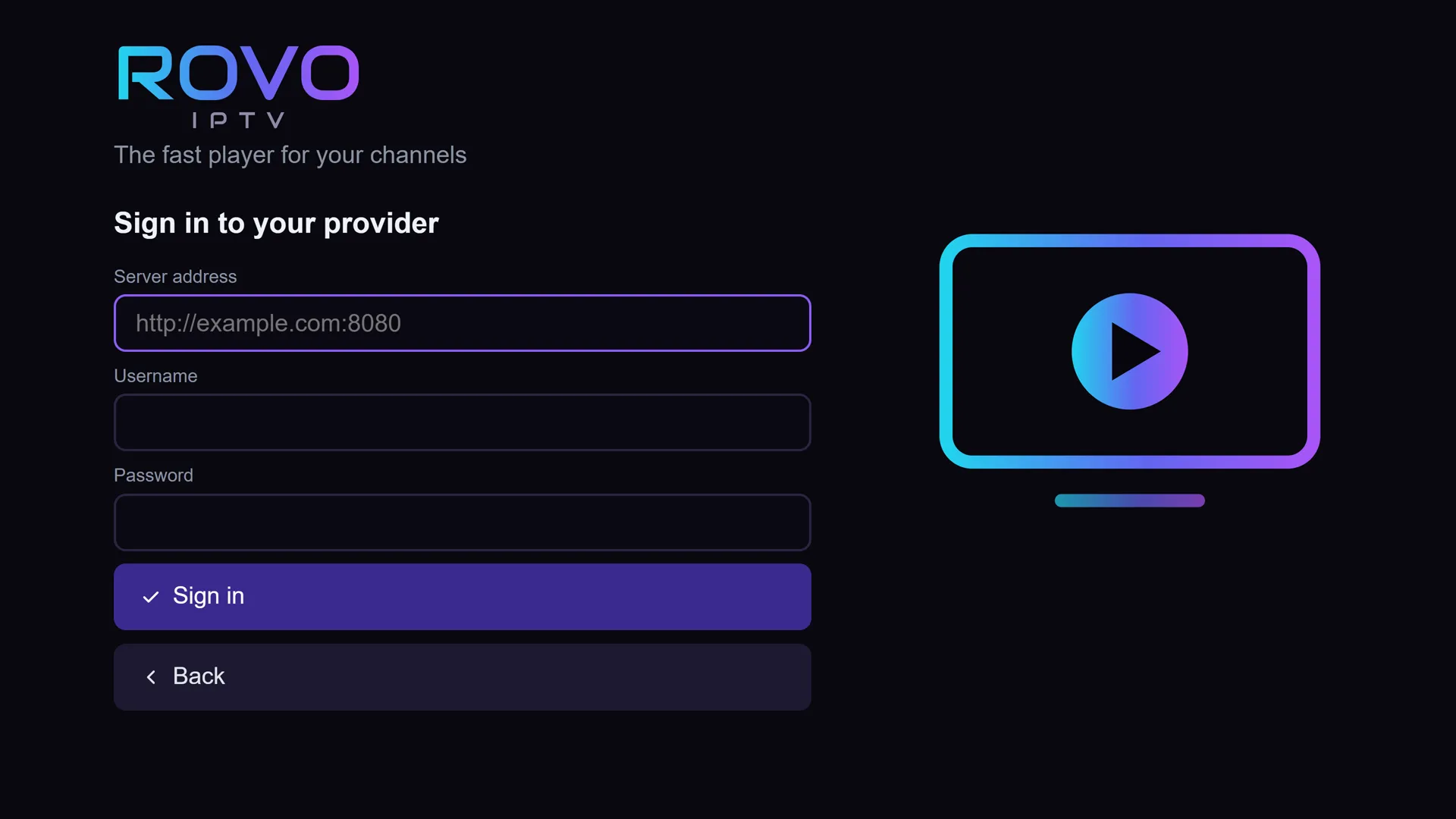
Rovo does not recommend providers and does not sell channels. We have no access to your lists: they are stored on the TV only.
Three steps,
and you're watching.
-
Install on the TV.
On your Samsung TV, open Apps, search for Rovo and install it. Free.
-
Add your list.
Paste an M3U address, or enter Xtream login details, from the provider you chose.
-
Watch.
The first week: every feature open, as a gift. After that, carry on free, or move to Premium.
It all stays
on the TV.
Nothing is sent to us. There is no user account: the license is tied to the TV, not to an email. And one button deletes everything.
On your TV, only
- Your list address or login details
- Favorites and recent channels
- Settings, parental lock and language
- Premium status and activation code
With us, only if you buy
- Email, to send your activation code and receipt
- The TV code
- Order details: amount, date, number
Card details are entered on the payment provider's page and never reach us. Privacy policy
Pay once.
That's it.
Free, from today.
Install and use it, with no time limit and no ads.
Week one: all open.
Every Premium feature, as a gift. At the end of the week it returns to free, with no charge and nothing to do.
Then Premium, once.
One payment, not a subscription. Unlocks everything on one TV, for good.
$9.9029.90 ₪
Once. Not a subscription.
For one TV, by the TV code you enter at purchase (it is on the Rovo Premium screen in the app). New TV? Contact support with your order number and we will move your license.
You pay on the payment provider's secure page. Activation code not working because of a fault on our side that we cannot fix? You get a full refund. Before you pay: terms, cancellation and refunds
| Feature | Free | Premium |
|---|---|---|
| Live channels from an M3U list or Xtream | Included | Included |
| Fast channel switching and automatic quality | Included | Included |
| Preview and search | Included | Included |
| No ads, in 4 languages | Included | Included |
| Movies and series | Included | Included |
| TV guide | Now and next | Full guide |
| Favorites | Up to 10 | Unlimited |
| Channel lists | One list | Several lists and providers |
| Parental lock | Existing locks work | Set up locks |
| Resume movies and series | Not included | Included |
| Recently watched | Not included | Included |
| Open on the last channel | Not included | Included |
| Custom order, pinning and hiding of channels, countries and groups | Not included | Included |
| Rewind live TV, where the provider supports it | Not included | Included |
| Choose quality manually | Not included | Included |
| Grid view | Not included | Included |
| Color themes | Not included | Included |
| Sleep timer | Not included | Included |
Questions,
straight answers.
Rovo and channels
Does Rovo include channels?
No. Rovo is a player only. You add a channel list (M3U) or login details (Xtream) that you received from a provider you chose yourself.
Where do I get a channel list?
From the provider you chose yourself. Rovo does not sell lists, does not recommend providers and does not link to them.
How do I add channels?
Two ways: a channel list link (M3U), or the username and password from your provider (Xtream). The list is saved on the TV and opens right away every time.
Which TVs does Rovo run on?
Samsung smart TVs running Tizen. Rovo was built specifically for them, and works on every model. Search for Rovo in your TV's store, and install it.
Which languages?
Hebrew, English, Arabic and Russian. The language follows your TV's language by itself, and you can change it in Settings.
Do I need to sign up or open an account?
No. There is no user account. The license is tied to the TV, not to an email.
Are there ads?
None. Not even in the free version.
What is stored, and where?
Everything is stored in the TV's memory only: lists, logins, favorites and settings. Nothing from the app is sent to us.
While you watch
A channel stalls. What now?
If the channel comes in several qualities, Rovo switches by itself to the one that suits your internet, and remembers it. Premium also lets you choose the quality yourself.
Why does each channel appear only once?
Rovo merges the versions of the same channel (4K, FHD, HD) into one row. You can turn this off in Settings.
Is there a TV guide?
Yes. "Now" and "Next" are free, and the full guide comes with Premium. The information comes from your provider.
Can I rewind live TV?
Yes, with Premium, on providers that keep past broadcasts.
Premium and payment
Why pay, if there is a free version?
You don't have to. The free version stays free forever, with no ads. Premium unlocks every feature, and you can try them all in the first week without paying.
Is Premium a subscription?
No. It is a one-time payment, and Rovo stays open forever on the TV it was activated on.
How do I activate Premium?
In Settings, on the Rovo Premium screen, you will see your "TV code". Enter it on the site when you buy, get an 8-digit activation code, and type it in with the remote.
What is the TV code?
A short code (for example 2PJ-ERS) that the app works out inside the TV. You enter it when buying Premium on the site, to get an activation code made for that TV.
What happens at the end of the first week?
The app goes back to the free version, with no charge and nothing for you to do.
How many TVs does Premium cover?
One TV: the one whose TV code was entered at purchase. A one-time payment, not a subscription. For another TV, buy another license with that TV's code.
I replaced my TV. What now?
Contact support with your order number, and we will help move the license.
Can I trust the payment on this site?
Payment happens on the payment provider's secure page, not on our site, and your card details never reach us. And if your activation code fails because of a fault on our side that we cannot fix, you get a full refund.
Didn't find your answer?
Write to us, and we will reply by email.
Your TV
is ready.
Rovo is waiting in your TV's app store. Install it free, and the whole first week is open.